
You have a business to run. Staff to manage. Customers to serve. The last thing you want to think about is backup. It sits in the same mental bucket as insurance, fire drills, or checking the spare tire in your car. You hope you never need it, so it is easy to push down the list.
Then a file goes missing. A laptop dies. Someone clicks on a bogus link. A cloud app updates and the settings you relied on are gone. That is when the small “we’ll deal with it later” choice turns into a long week for your team.
This guide is here to answer the question many owners and managers ask. Why do I need backup at all? We will keep it practical and grounded in the way small and mid-size businesses work. No scare tactics. Just what you must know to protect your time, your money, and your name
Table of Contents
“We’re small. Why would anyone target us?”
We hear this a lot: “Hackers go after the big guys, not companies like ours.” In reality, smaller companies get hit often because attackers automate their work. They scan the internet for the same weak points and send the same phishing emails to everyone. If your guard is down, you get swept up in the net.
More important, many losses are not caused by criminals. A new hire deletes the wrong folder. A sync tool overwrites good data with bad data. A laptop is lost in an airport. A power surge corrupts a server during a storm. None of that makes the news, but it still stops sales, delays projects, and upsets customers.
Backup is not only about headline-grabbing attacks. It is about everyday risk.
The business case in three lines
- Something will go wrong. If you store data and people touch it, mistakes and failures will happen.
- Downtime costs more than backup. Even a few hours without the tools you depend on can cost more than a year of proper protection.
- Backup turns a bad day into a short outage. With the right setup you get back to work fast and limit the damage.
What “backup” actually means today

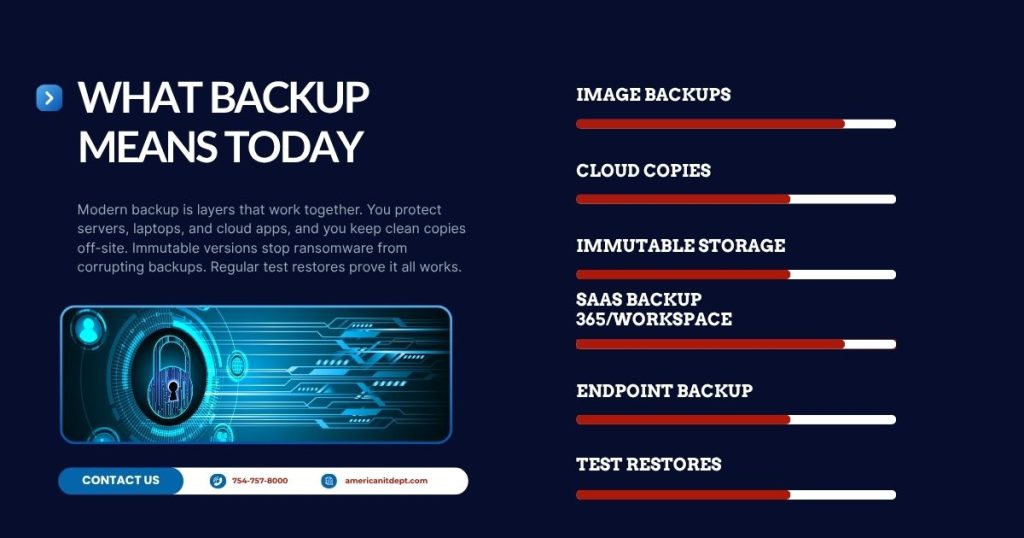
Backup used to mean copying files to a hard drive and hoping for the best. Today it means a set of guardrails that cover more ground.
- Image-based backup for servers and key workstations. This captures the whole system, not just documents. If a server fails you can spin up a clean copy and keep working while you replace hardware.
- Cloud copies with off-site retention. If your office floods or a fire takes out your gear, your data is safe elsewhere. CISA recommends maintaining offline copies to withstand ransomware and site-wide incidents
- Immutable storage or “locked” versions. Ransomware tries to scramble backups too. Immutable copies cannot be changed for a set period. That gives you a clean restore point.
- SaaS backup for Microsoft 365 and Google Workspace. The recycle bin is not a backup. Neither vendor guarantees recovery of deleted mail or files after their retention window. A separate backup fills that gap.
- Endpoint backup for laptops and remote staff. Work happens everywhere now. Your protection should follow your people.
- Automated testing and restore drills. A backup that has never been tested is a backup you should not trust. We schedule test restores and document the results.
We implement these layers with tools like N-able’s backup platform and Datto’s recovery appliances. The names matter less than the outcome. Fast, proven recovery when you need it.
RPO and RTO without the jargon
Two ideas shape every backup plan. You do not need to memorize the acronyms. You do need to understand the choice behind them.
- RPO: How much work can you afford to lose. If your RPO is one hour, your backups run at least every hour. In the worst case you may re-do up to 60 minutes of work.
- RTO: How long can you be down. If your RTO is two hours, your plan must bring systems back within two hours of an outage.
Think of RPO as “how fresh is the last good copy” and RTO as “how fast can we get the lights back on.” Tighter numbers mean more frequent backups and faster recovery options. We help you set numbers that fit the way you operate and the budget you have.
The real risks you already live with
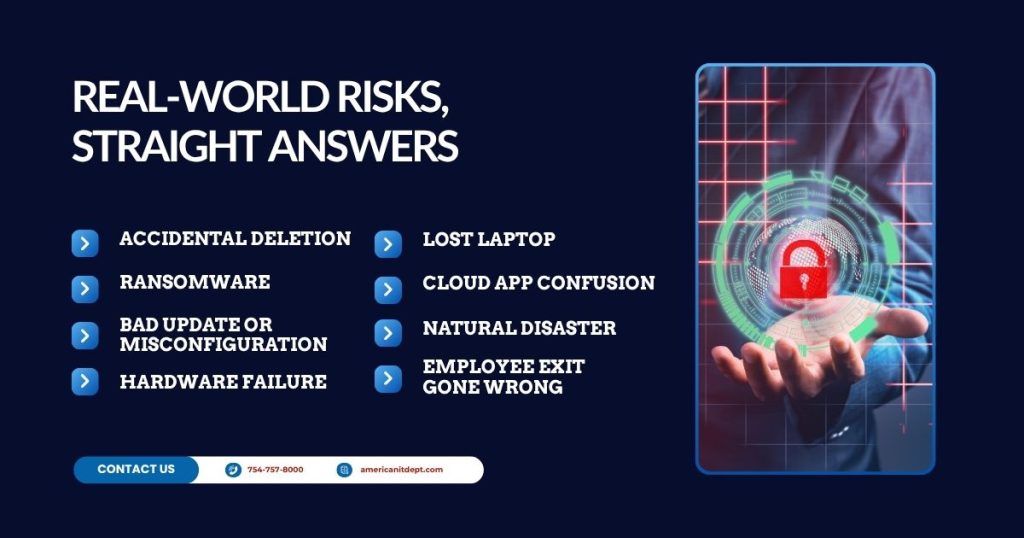
Let’s map common business moments to plain backup value.
- Accidental deletion. A project folder gets wiped. With versioned backups you restore last night’s copy or even a copy from last week.
- Ransomware. Files are encrypted and the attacker asks for payment. With immutable backup sets you ignore the demand and recover clean data.
- Bad update or misconfiguration. A change breaks your system. Roll back to the snapshot from before the change and keep moving.
- Hardware failure. A server dies on a Monday morning. With a Datto appliance or similar image backup you run an instant virtual copy and your team logs in as if nothing happened.
- Lost laptop. You can restore the user’s files to a loaner device. The person is back in action the same day.
- Cloud app confusion. A shared drive or mailbox is cleared out by mistake. A SaaS backup puts the data back where it belongs.
- Natural disaster. Off-site copies mean you can rebuild from anywhere with an internet connection.
- Employee exit gone wrong. Someone leaves on poor terms and deletes what they can. Point-in-time restores undo the damage.
“We already use OneDrive or Google Drive. Isn’t that enough?
Sync tools are great for collaboration. They are not designed to be your final safety net. If a file is encrypted by ransomware and syncs, the encrypted file may replace your good copy across devices. If a folder is deleted and the trash expires, it is gone. True backup keeps separate, versioned, off-site copies that do not change when your live data changes.
“Our files live in our line-of-business app. Are we covered?”
Most industry apps do not back themselves up. Some vendors provide exports or limited restore options. Many do not. If that app holds orders, patient data, case notes, or anything else you cannot afford to lose, we capture the underlying server image and database on a schedule that fits how active the system is. We also test restores to a sandbox so we know your data is usable, not just present.
The cost question
Backup feels like a cost until you compare it to downtime.
Here is a simple way to look at it.
- Estimate the value of an hour of work. Add up staff wages for the people who cannot do their job during an outage. Add the average hourly revenue impacted by being offline.
- Multiply by your likely downtime without a plan. Without image backup and a clear process, recovery can take days. Even with heroic effort you are looking at one to three days for a serious incident.
- Compare that to the monthly fee for proper backup. For most teams the monthly cost is a fraction of a single day of downtime.
For example, if your team burn rate is 500 dollars per hour and your sales pipeline stalls when systems are down, a four-hour outage costs more than many companies spend on backup for an entire month. A full day costs more than many companies spend in a year.
Backup is not an expense you “hope to never use.” You use it every day through peace of mind. And when you need it, it pays for itself in a single incident.
The 3-2-1 rule, simplified
- Three copies of your data. The live copy plus at least two backups.
- Two different types of media. For example, a local image on an appliance and cloud copies.
- One copy off-site. If something happens to your office, you still have a clean copy elsewhere.
Modern platforms make this automatic. We add a fourth idea many teams now adopt.
- One immutable copy. A backup that cannot be changed for a set time. This defeats ransomware’s attempt to corrupt your safety net.
What good backup looks like day to day
You should see clear signs that protection is working.
- Daily backup reports. Pass or fail, with quick notes on any issues.
- Weekly checks. A human looks at logs, storage use, and recent restores.
- Monthly test restores. We prove we can recover both files and full systems and we record the exact time to recover. That is your real RTO.
- Quarterly reviews. We adjust schedules, retention, and coverage as your business changes. New apps, new staff, new offices.
If you do not see those signals, ask for them. A quiet backup is not always a healthy backup.
How we choose tools like N-able and Datto
We pick platforms that do three things well.
- Fast recovery. Can we bring your systems back quickly during a crisis. Image backup, virtualization on the device, and cloud failover are key here.
- Smart scheduling and retention. Can we hit your RPO with frequent snapshots and keep the right versions without wasting storage.
- Proof. Can we test, document, and share results with you. You should not have to take our word for it.
N-able helps us protect servers, workstations, and cloud apps with flexible schedules. Datto adds local and cloud recovery options so we can boot your system as a virtual machine and keep you moving while we fix hardware. Together they support the layered approach described above.
Backup vs. Disaster Recovery vs. Business Continuity
People use these terms loosely, so here is a quick way to separate them.
- Backup is your copies of data and systems.
- Disaster recovery is the set of steps to restore those systems after an incident.
- Business continuity is the broader plan to keep the company running during and after a disruption.
You need all three. Backup without a process is just storage. A plan without good backups is just a document. We tie backups to written steps so anyone on your team can start recovery with clear instructions.
What about compliance and cyber insurance
Even if you are not in a regulated industry, you likely handle personal or payment data. Many frameworks expect you to keep restorable copies and to test them. Cyber insurance policies often ask about backup frequency, off-site copies, and whether you protect backups from tampering. Solid backup helps you answer those questions with confidence and can reduce unpleasant surprises if you ever need to file a claim.
A short story that mirrors real life
A small accounting firm called on a Friday afternoon. An employee had opened a fake DHL message. Within minutes files on the office server began to scramble and rename. The attacker demanded money. The firm’s first thought was to pay, because tax returns due on Monday depended on those files.
Because their backup was set to run every 15 minutes with an immutable copy in the cloud, we had options. We isolated the server, cleaned the infection, and spun up last hour’s image on a recovery device. Staff were back to work before the end of the day. No payment went out. On Monday they filed returns on time. The team lost a couple of hours, not a week. That is the difference a tested plan makes.
Common pushbacks, answered
“We have never had a problem.” Good. Backup keeps that streak alive. It is like a seatbelt. You do not put it on because you plan to crash.
“We are on a tight budget.” That is exactly why you want to avoid long outages. We can stage coverage. Start with your most critical systems and grow from there.
“Our data is in the cloud.” Many cloud vendors operate on a shared responsibility model. They keep the platform running. You are still responsible for protecting your data within that platform. A separate backup gives you control.
“We store everything on a NAS already.” If ransomware hits and your NAS is mapped as a drive, it can get encrypted too. You still need off-site and immutable copies.
“Our vendor says they do backups.” Ask to see a successful test restore with timing. Ask who is on the hook to run recovery during an incident. If the answers are vague, treat that as a risk.
How often should backups run and how long should we keep them
A common starting point for SMBs:
- Critical servers. Snapshots every 15 minutes during business hours, hourly after hours. Keep daily versions for 30 days, weekly for three months, monthly for a year.
- Key workstations. Hourly during business hours. Keep 30 to 90 days of versions.
- Microsoft 365 or Google Workspace. At least twice daily, with long retention for mailboxes and shared drives.
- Accounting and line-of-business databases. Coordinate with app vendors to avoid open file issues, then back up as often as data changes.
We tune from there based on your comfort with re-doing work and your storage budget.
The quick start checklist
Use this as a five-minute audit.
- Do you have at least three copies of your data with one off-site.
- Do you protect servers, workstations, and cloud apps.
- Do you have immutable or locked copies.
- Have you performed and documented a test restore in the last 90 days.
- Do you know your RPO and RTO for each critical system.
- Do you receive backup reports you can actually read.
- Does your team know who to call and the first three steps during an incident.
If you can say yes to all of these, you are ahead of most. If not, pick one item and fix it this week.
What to expect during recovery
When something breaks, here is how a well-designed setup feels.
- Triage. We isolate the issue, stop the spread, and protect the backups.
- Select a restore point. We pick the last clean snapshot before the problem.
- Recover. For files, we restore to original or alternate locations. For servers, we boot a virtual copy on the recovery device or in the cloud. Staff reconnect and resume work.
- Replace or rebuild hardware. While you operate on the virtual system, we repair the original environment.
- Cut back over. We plan a time to move from the temporary system to the rebuilt one with minimal disruption.
- Post-incident review. We document what happened and tighten the plan to reduce the chance of a repeat.
The goal is not perfection. The goal is a controlled, predictable path from “oh no” to “back to work.”
So, do you really need backup?
Yes. Not because bad things always happen, but because your time and name are worth protecting. Backup is not a luxury for big companies. It is part of how small and mid-size teams work with confidence. It protects the invoices you have to send, the records you have to keep, the promises you make to clients, and the nights you would rather sleep than worry.
If you want help sorting out a plan, we will keep it simple. We will show you what it costs, what it covers, and what will happen when you need it. Then we will test it with you so you see the results with your own eyes.
That is why you need backup. Not because someone said it is important. Because getting back to work quickly is the difference between a bad day and a business problem.
Ready to take the next step?
If you want a quick, plain-English assessment, we can:
- Map your systems and pick smart RPO and RTO targets.
- Set up image backups for servers and key workstations.
- Add SaaS backup for Microsoft 365 or Google Workspace.
- Build in immutable cloud copies.
- Run a test restore and give you the numbers.
You do not need to guess or hope. You can know. And when something goes wrong, you will have proof that your plan works.
What you can do on your own, right now…
You do not need fancy language or a warehouse full of hardware. You need good habits, the right tools, and a partner who will test everything on a schedule. That is backup done right. It is quiet most days. It is loud when it counts. And it keeps your business on track.
Are you curious how closely you meet compliance and security standards? Or do you wonder what you can do to be well prepared to prevent incidents or to respond when a security incident happens? Get our free Compliance & Security Guide and run a self-assessment. Our guide is specifically written for the legal services industry, with practical tips, checklists to prepare, prevent, and respond to incidents relevant to law firms and legal professionals. On 17 pages, you’ll find practical tips, checklist to prepare, prevent, and respond to incidents. If you need more help, give us a call.